Products & pricing

Proven VR forklift simulators for every training need

From sit-down to stand-up trucks, our simulators accelerate learning and create confident operators. Rent on a monthly plan or buy outright.

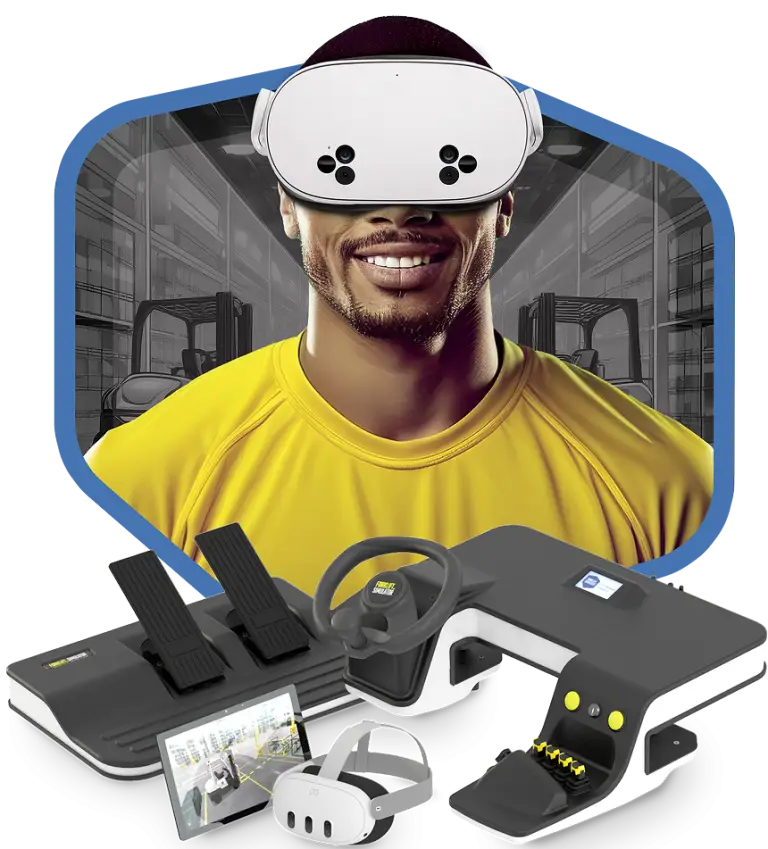
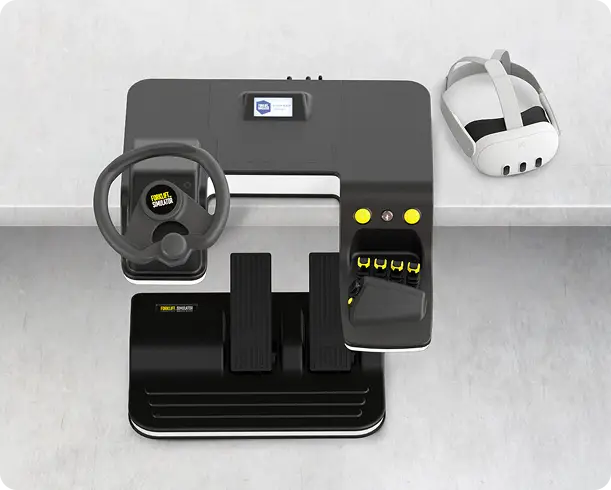
Desktop Sit-Down simulator set with VR headset
Monthly planDesktop Sit-Down Forklift Simulator

Desktop Sit-Down Simulator (SDM)

Compact and flexible — for training in small spaces or on the go.

Sit-down counterbalanceSit-down reach truck
  • Practical, travel-ready format
  • Real OEM controls, comfort mode, world-class curriculum
  • 3-year rental or outright purchase
  • Linde version available
Assembled in USA Request a quote
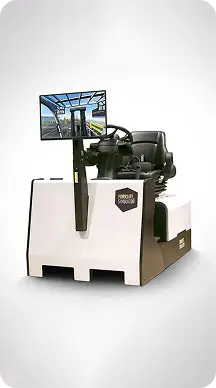
Sit-Down CB Forklift Simulator

Sit-Down CB Simulator (CBS)

Realistic, full-size training for sit-down operators in standard warehouse environments.

Sit-down counterbalance
  • To-scale forklift dimensions
  • Genuine Hyster/Yale controls and seat, comfort mode, world-class curriculum
  • Ideal for classrooms and training centers
Assembled in USA Request a quote
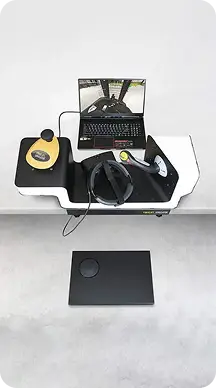
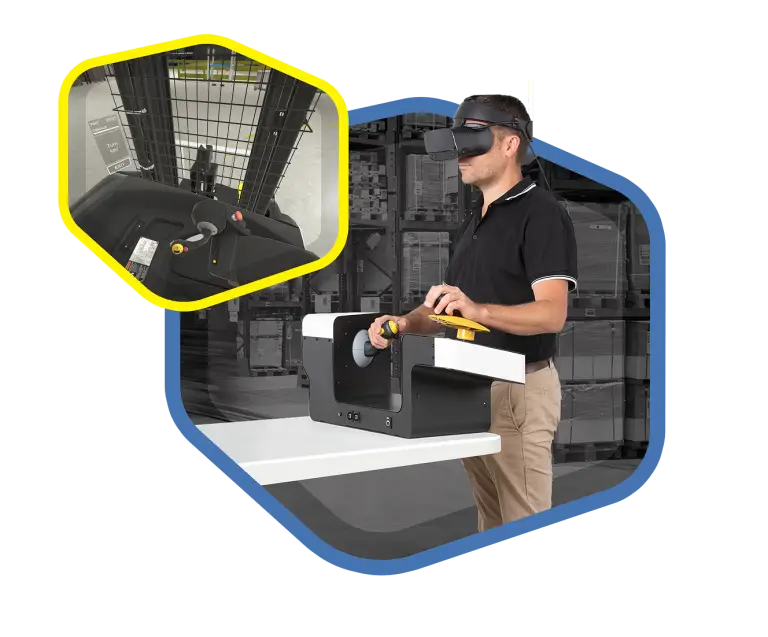
Desktop Stand-Up Forklift Simulator

Desktop Stand-Up Simulator (SUM)

Specialized for stand-up trucks used in narrow aisles, optimized for compact spaces.

Stand-up reachStand-up CBMan-up order picker
  • Practical, travel-ready format
  • Genuine Hyster/Yale controls, comfort mode, world-class curriculum
  • Crown Stand-Up (CSU) version available
Assembled in USA Request a quote
Compare

A simulator for every need

Desktop Sit-DownSit-Down CBDesktop Stand-Up
SpaceCompact; great for tight spaces or training on the goTraditional warehouse or classroom environmentsCompact; built for narrow-aisle stand-up trucks
End goalEssential training without a full-scale simulatorFull-scale simulation with OEM controlsCompact maneuvers in smaller spaces
Truck typesSit-down counterbalance, sit-down reach truckSit-down counterbalanceStand-up reach, stand-up counterbalance, man-up order picker
Brand versionsGeneric, LindeHyster/Yale controlsHyster/Yale controls, Crown (CSU)
PricingMonthly payment (Hardware-as-a-Service) or purchaseOne-time purchaseOne-time purchase

All simulators include comfort modes, the virtual trainer and the Learning Management System. Ask for a quote for your configuration.

Trainer coaching a trainee on the Desktop Stand-Up simulator
Included with every simulator

Key features & benefits

  • Accelerated learningHands-on, immersive training that gets operators up to speed faster.
  • Proven ROILower training costs, less downtime, better operator performance.
  • Realistic experienceOEM controls and true-to-life environments.
  • Flexible solutionsFrom compact desktops to full-size simulators.
  • Scalable trainingFor large fleets or individual operators.
  • Comfort modesFirst-time users ease into VR without worry.
Customer success

What our customers say

The simulator reduces how long it takes for someone to feel confident and capable on a truck.
Austin NollMilliporeSigma
It’s much faster than training on real forklifts. You don’t have to inspect or maintain the equipment, and one trainer can lead a whole group.
Jacob RubleGoodwill Industries of Central Oklahoma
When safety is strong, quality is strong, so efficiency naturally comes into play.
Brian ParrishAlleghany Warehouse Company
FAQ

Questions about the simulators

Do you offer specific forklift brands or models?

Yes. We offer generic and brand-specific models with real OEM controls. By default, the CBS and SUM models use genuine Hyster/Yale controls. The Crown Stand-Up (CSU) simulates electric stand-up Crown trucks, and a Linde version of the Desktop Sit-Down (SDM) simulates an electric sit-down counterbalance truck.

What kind of support do you offer for implementation?
  • Onboarding and success calls for the hardware setup and early use
  • LMS integration so trainers can track progress, review results and monitor key metrics
  • Consultation with a master trainer to tailor training to your industry
Can everyone use VR?

Practically everyone. First-time users usually need 2–3 sessions to fully acclimate. To keep it comfortable:

  • Comfort Mode uses mixed reality to reduce motion sickness (“vection”)
  • Proper headset fit — a sharp image matters; glasses wearers put the headset on glasses-first
  • Short first sessions of 2–3 minutes (1–2 exercises)
  • A cool room with a small fan for airflow
  • Low pressure — small groups, and nobody is forced to continue

Headsets are not for use by children under 13.

Do I need a trainer on-site?

Not necessarily. The curriculum was developed with expert forklift trainers, so trainees can progress without direct supervision. Customers run both self-paced and trainer-led programs; on-site trainers can coach, review results in the LMS or focus on real-world evaluations. A trainer or supervisor should be present for a user’s first session.

Can I rent instead of buying?

Yes. The Desktop Sit-Down simulator is available on a monthly Hardware-as-a-Service plan (3-year term) as well as for outright purchase. Ask for a quote.

See the simulator in action

Book a live demo. We’ll show you the curriculum, the trainer dashboard and what it costs for your team.